Free Chrome extension
Free Invoice Generator for Chrome
Create professional invoices and export them as PDF right in your browser. No account, no subscription — and every invoice saves to your own Google Drive.
Opens the Chrome Web Store
Works on Chrome, Edge and Brave

What is BR.LK Invoice Studio?
BR.LK Invoice Studio is a free Chrome extension that lets freelancers and small businesses create professional invoices and export them as PDF without leaving the browser or creating an account.
It is built for people who invoice a handful of clients each month and do not want to run accounting software to do it. You add your business details once, save the clients and services you bill for, and every invoice after that takes about a minute.
Because it lives in your browser toolbar, there is no separate site to log into and no context to lose. Your invoices are stored in a private folder in your own Google Drive, so BR.LK never holds your billing data. Prefer not to install anything? The browser-based Invoice Studio does the same job on the web.
What you can do
Everything below is in the extension today — no upgrade, no add-on.
Create invoices quickly
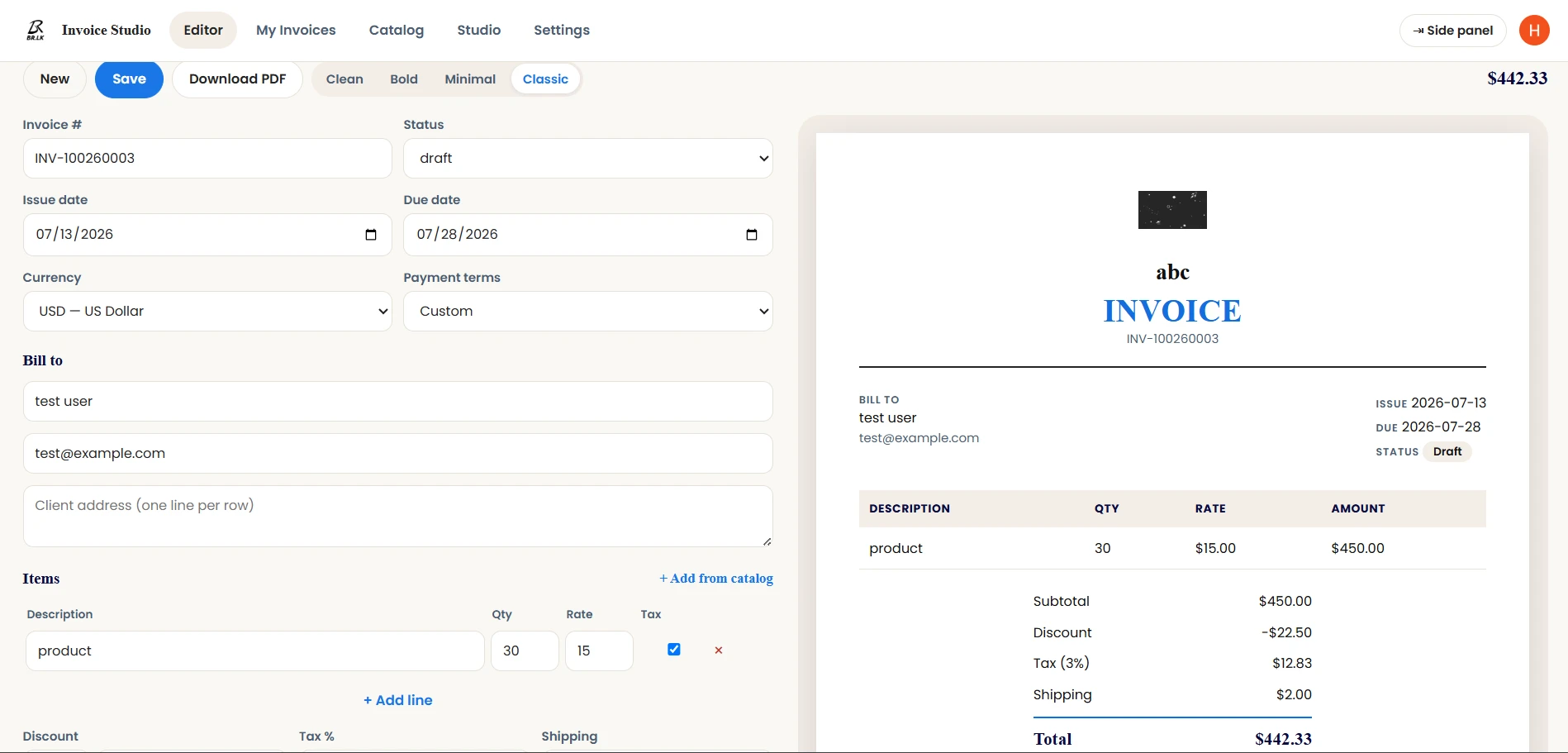
Fill in your client, add line items, and watch the total update as you type. No setup wizard to sit through first.
Export a print-ready PDF
One click turns the finished invoice into a PDF you can email or print straight away.
Preview before you export
The A4 preview on screen is the same document that gets exported, so the layout never surprises you.
Reuse clients and services
Save a client or a service once, then add it to any future invoice in a click instead of retyping it.
Bill in 78 currencies
Pick the currency your client pays in and the symbols and number formatting follow automatically.
Keep invoices in your own Drive
Everything saves to a private folder in your Google Drive. BR.LK runs no server and holds none of it.
Everything you need to invoice
Six things the extension does, from the first line item to a paid invoice.

Editor
Create an invoice
Add line items, quantities and rates. Tax, discounts and shipping are calculated as you go.

Clients
Add your clients
Save a client once. Their name, email and address autofill on every invoice after that.

Catalog
Save products & services
Build a catalog of what you sell, then drop items onto an invoice instead of retyping them.

Preview
Preview before you send
Check the A4 preview first. What you see is exactly what your client receives.

Export
Export as PDF
One click produces a print-ready PDF, branded with your logo and accent colour.

Invoices
Manage recent invoices
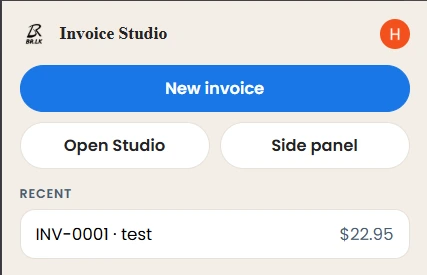
Track what is paid and what is outstanding, mark invoices paid, and duplicate recurring work.


Your data
Invoices stay in your own Google Drive
Most invoicing tools keep your client details and billing history on their servers. BR.LK Invoice Studio does not. Every invoice, client and saved service is written to a private app-data folder inside your Google Drive.
BR.LK runs no server for the extension and stores none of your data. The extension can only reach its own folder — it cannot see or change your other Drive files.
Read the privacy policy
How to create an invoice in Chrome
Three steps from installing the extension to a PDF you can send.
Install the extension
Add BR.LK Invoice Studio from the Chrome Web Store and pin it to your toolbar. There is no account to create.
Enter your invoice details
Add your business details, pick a client, and list the work. Apply tax, discounts and payment terms as needed.
Preview and export
Check the A4 preview, then export a print-ready PDF and send it to your client.
Who it’s for
Invoicing for freelancers and small businesses that bill by project, retainer or hour.
Freelancers
Bill a handful of clients each month without opening accounting software or paying a subscription.
Consultants
Invoice by day rate or project milestone, with payment terms set per client.
Small businesses
Keep invoices consistent and on-brand as more than one person starts sending them.
Contractors
Itemise labour and materials separately, and add shipping where it applies.
Agencies
Reuse a service catalog so retainers and recurring work go out identically every month.
Online service providers
Bill clients in their own currency, with the right symbol and formatting applied automatically.
A look inside
Screens from the extension itself.
Simpler than invoicing software
Full accounting suites do a great deal more than invoicing — and ask a great deal more of you before the first invoice goes out.
Less setup
No company onboarding, no chart of accounts, no trial to activate. Install it and start the first invoice.
Faster access
It lives in your browser toolbar. Opening it is one click, not a login and a dashboard.
A simpler workflow
One screen to fill in, one preview to check, one button to export.
Only what invoicing needs
Invoices, clients, products, tax and PDF export. No bookkeeping or payroll modules to navigate around.
What it doesn’t do
- It runs on Chrome and Chromium browsers — not Safari or Firefox.
- It is an invoicing tool, not accounting software. There is no bookkeeping or expense tracking.
- It does not process payments. It creates the invoice; your client pays by whatever method you specify on it.
- Signing in with Google is required to save invoices and reach them from another device.
Frequently asked questions
Is BR.LK Invoice Studio free?
Yes. BR.LK Invoice Studio is free to use, with no subscription, no trial period and no paid tier. Every feature, including PDF export, is available without payment. There is no paywall on downloading the finished invoice.
Do I need to create an account?
No. You never create a BR.LK account. Signing in with Google is optional and is used only to save invoices to your own Google Drive and to show your account name inside the extension.
Can I export invoices as a PDF?
Yes. Every invoice exports as a print-ready PDF in one click. The A4 preview shown on screen is the same document that gets exported, so the layout, branding and totals your client receives match what you checked.
Where is my invoice data stored?
In a private app-data folder inside your own Google Drive. BR.LK runs no server for the extension and stores none of your data. The extension can only reach its own folder — it cannot see or modify your other Drive files.
Is it suitable for freelancers?
Yes. Freelancers are the primary audience. If you bill a few clients a month and do not want accounting software, it covers what you need: reusable client records, saved services, tax and discounts, and a branded PDF you can send immediately.
Can I save client and product information?
Yes. Save clients and product or service line items to a catalog once, then add them to any later invoice in a click. Saved clients autofill their name, email and address, so recurring work does not mean retyping details.
Does it support taxes, discounts and custom branding?
Yes. You can set tax rates, apply percentage or flat discounts, choose payment terms and set an invoice number prefix. For branding, upload a logo, pick an accent colour, choose one of four templates, and add a reusable header and footer.
Which browsers does it work on?
BR.LK Invoice Studio runs on Chrome and Chromium-based browsers, including Microsoft Edge and Brave. It is not available for Safari or Firefox. You install it from the Chrome Web Store and it works the same way in every supported browser.
What should a professional invoice include?
A professional invoice should carry a unique invoice number, issue and due dates, your business name and contact details, your client’s details, an itemised list of work with quantities and rates, any tax or discount, the total due, and payment terms.
Start invoicing in your browser
Add BR.LK Invoice Studio to Chrome and send your first professional invoice in about a minute. It is free, there is no account to create, and your invoices stay in your own Google Drive.
Add to ChromeOpens the Chrome Web Store
